Documentation Index
Fetch the complete documentation index at: https://domoinc-arun-raj-connectors-domo-479695-remove-crime-report.mintlify.app/llms.txt
Use this file to discover all available pages before exploring further.
Intro
Freemium is a free-forever enterprise version of Domo that renews monthly with a credit limit. There are no new sign-ups for Freemium; all new sign-ups are enabled by the Domo Free Trial experience. Domo Free Trial is a 30-day enterprise version of Domo with no credit limit. Learn more about Domo Free Trial. By default, Freemium is a consumption model and includes 300 credits per month. If you need more credits, you can purchase them through a monthly subscription via Stripe. You can cancel a subscription and return to the free version and 300 default monthly credits at any time.Credit monitoring allows you to track your usage from month to month.
Tip: Learn more about consumption and using credits by reviewing the Consumption Supplemental Terms  and reading this article: What Are Consumption Credits and How Do They Work?
and reading this article: What Are Consumption Credits and How Do They Work?Required Grants
Grants are authorizations inside Domo that allow individual users to perform and manage tasks and operations. You can add grants to custom roles. Many Domo features require users to have certain grants to access them. By default, the user who signed up for the Domo Free Trial has the following grants. You can create one or more custom roles for other users as needed and include one or both grants for any role.- Credits.report.view — This grant allows a user to view the credit usage bar at the top of the screen throughout the instance.
- Payments.stripe.management — This grant allows a user to buy more credits and manage billing details in Stripe and should be given to any users who need to perform these tasks.
Usage Bar
In Freemium, users with the appropriate permission can see the usage bar at the top of the screen on the landing page.See Required Grants to learn more about enabling the usage bar for individual users.
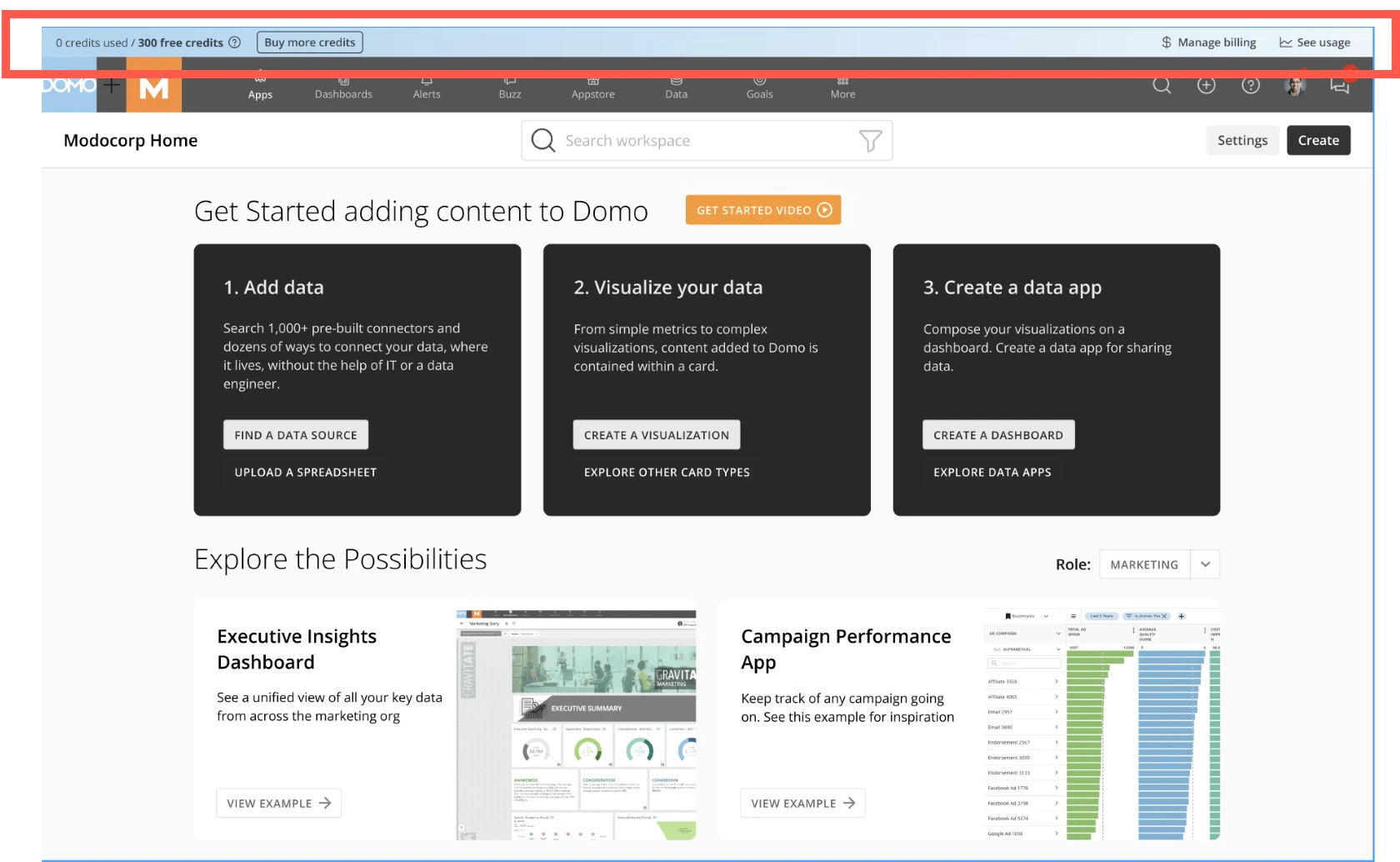


- A counter that displays the amount of credits used versus the amount of available credits
 Help — Selecting this option redirects you to a list of help documentation, including this article.
- Buy more credits — Selecting this option opens the Purchase Credits modal.
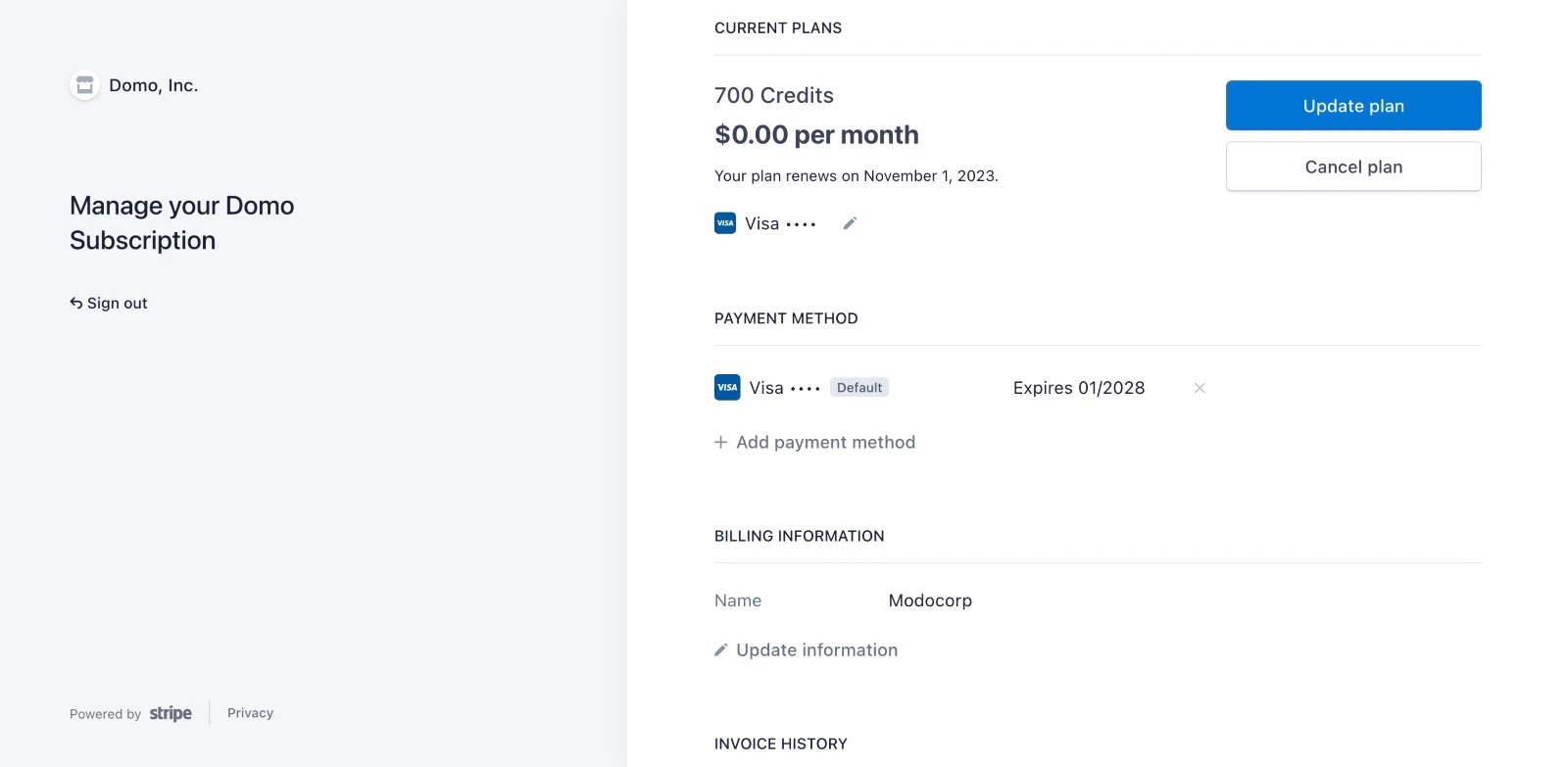
- Manage billing — This option is only visible if you have an active subscription and the appropriate grant. Select Manage billing to view and manage your account and subscription settings in Stripe.
- See usage history — Selecting this option redirects you to the Credit Utilization page in the Company Settings. See Usage History for more information.
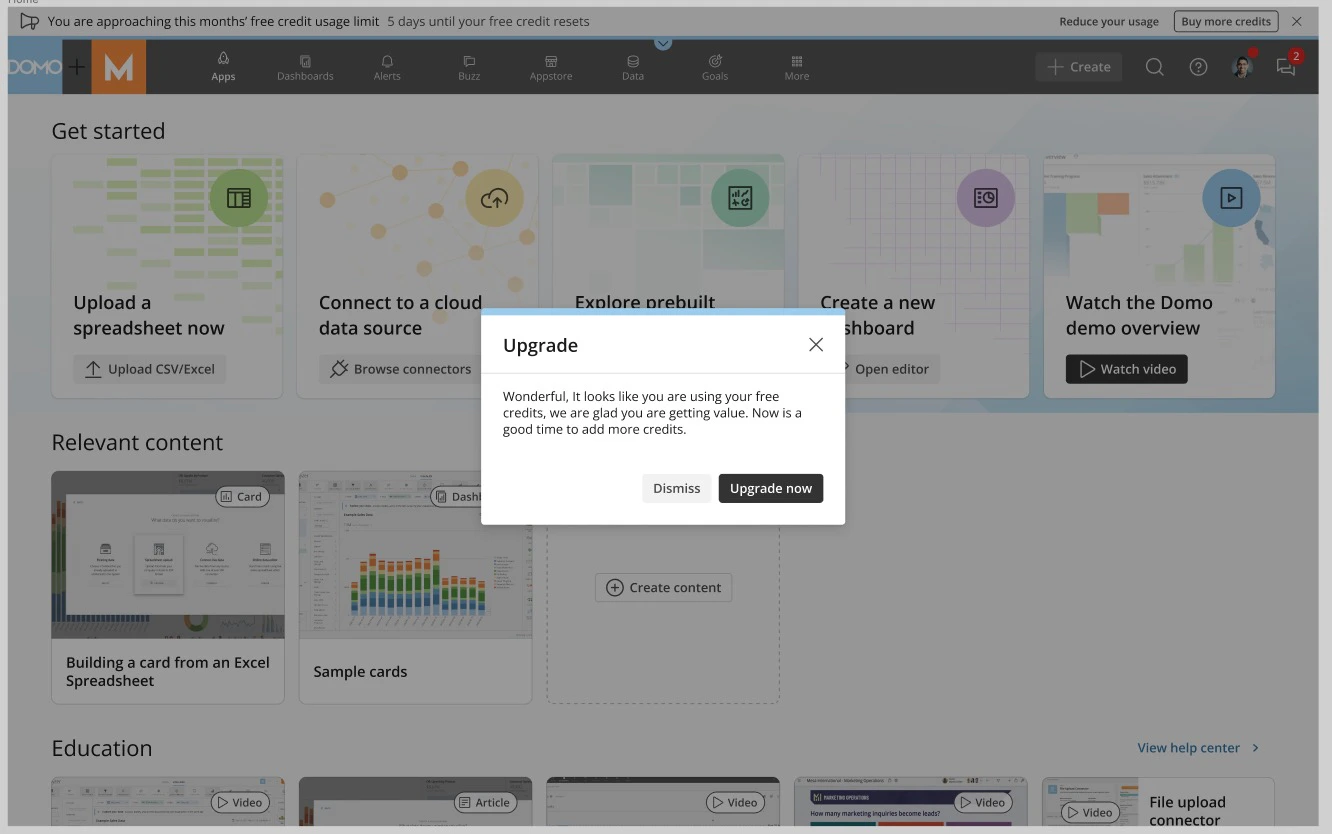
Usage History
Selecting See usage history in the usage bar redirects you to the Credit Utilization page of the Company Admin Settings. Learn more about Credit Utilization.
Used Credits
The Used Credits tab summarizes the credits you’ve used by credit type. You can filter the stacked bar chart by credit type and the ‘12 month ending’ period.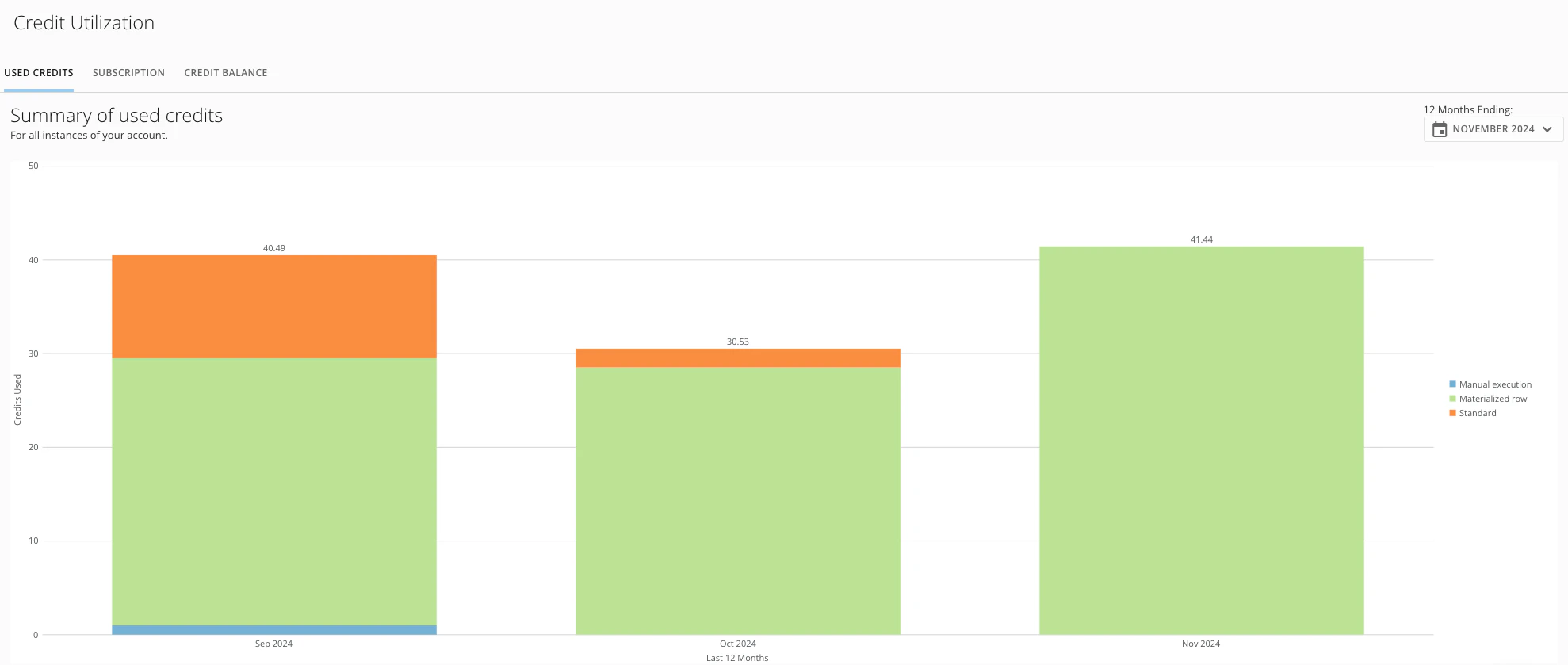
Subscription
The Subscription tab displays your contract information by contract period. Each period can be expanded by selecting the collapsed row to show the credit information for that specific period.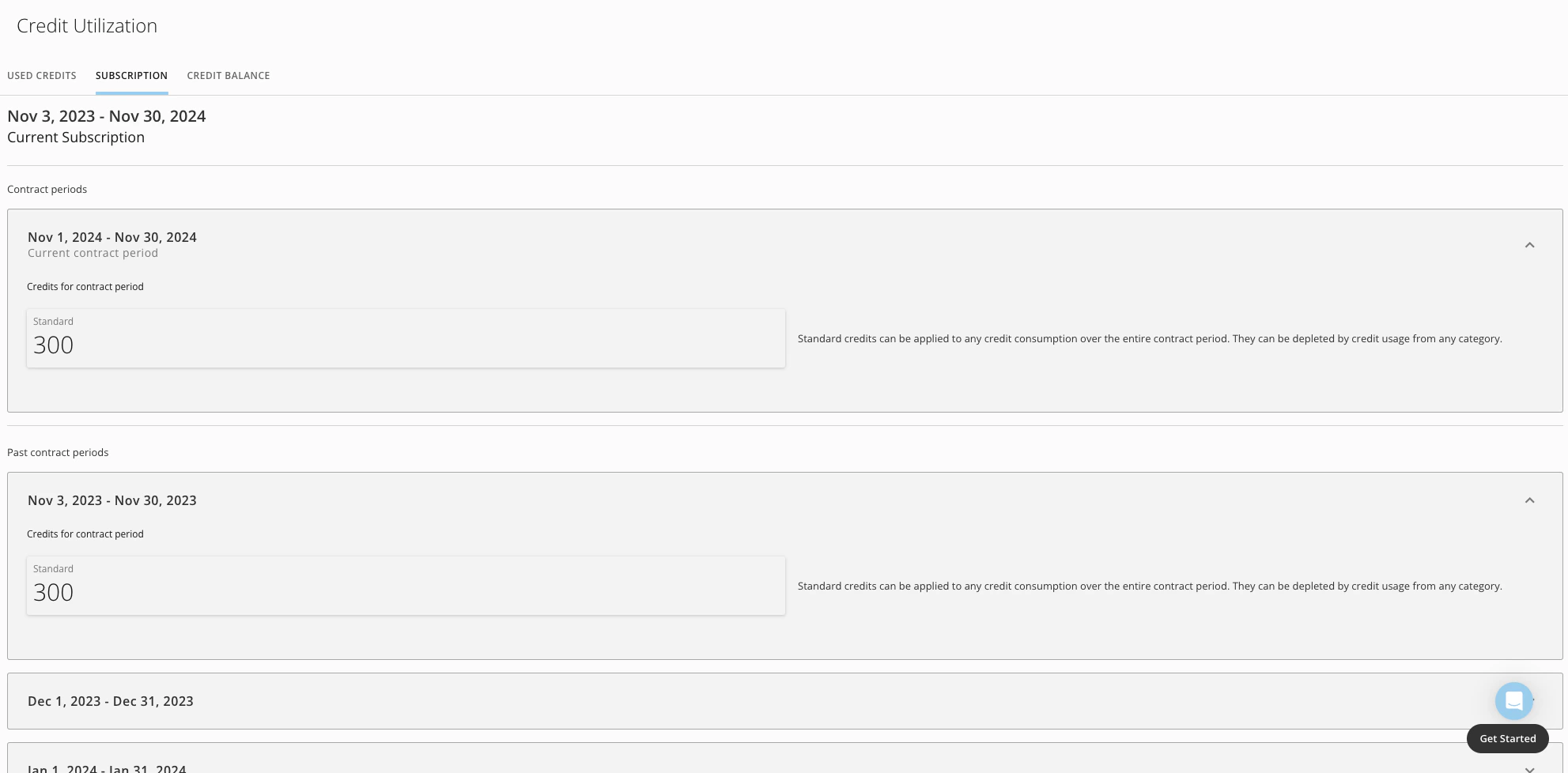
Credit Balance
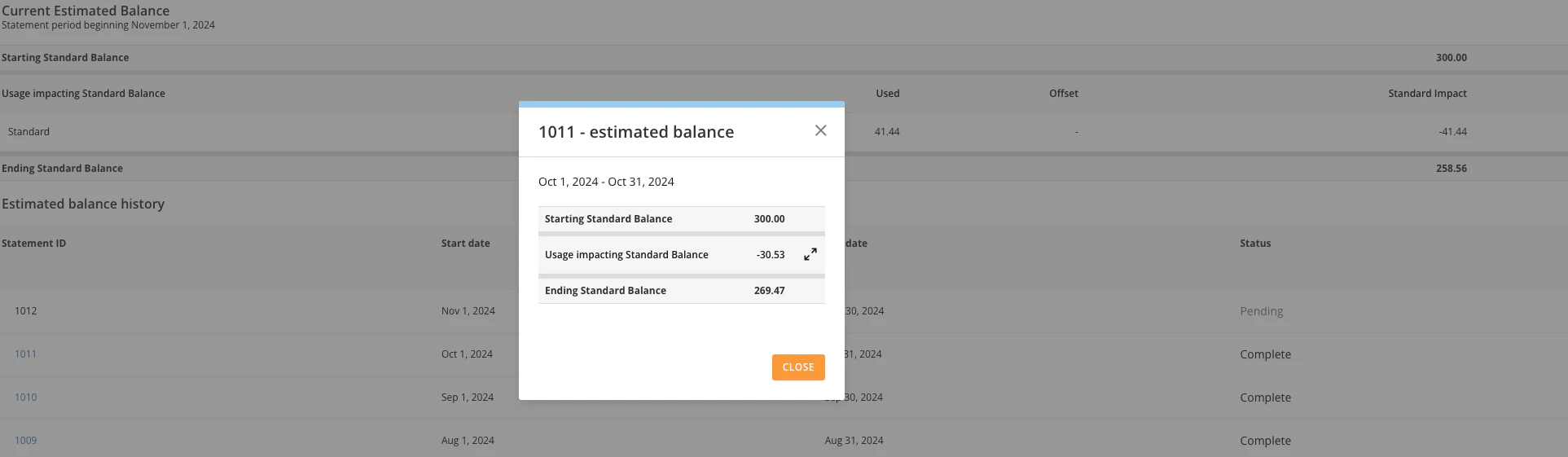
The Credit Balance tab displays your Current Estimated Balance and estimated balance history.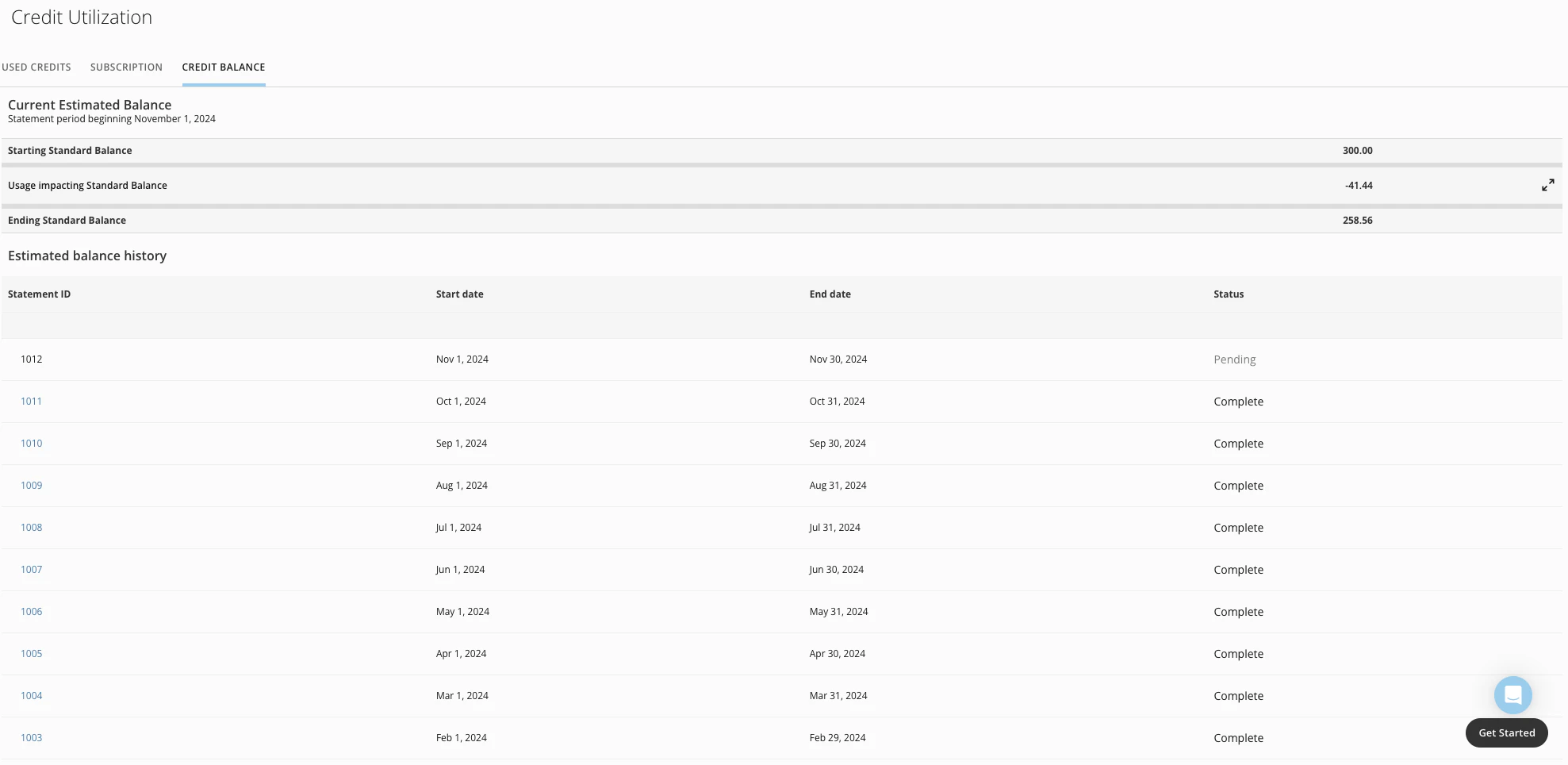

Monthly Subscription
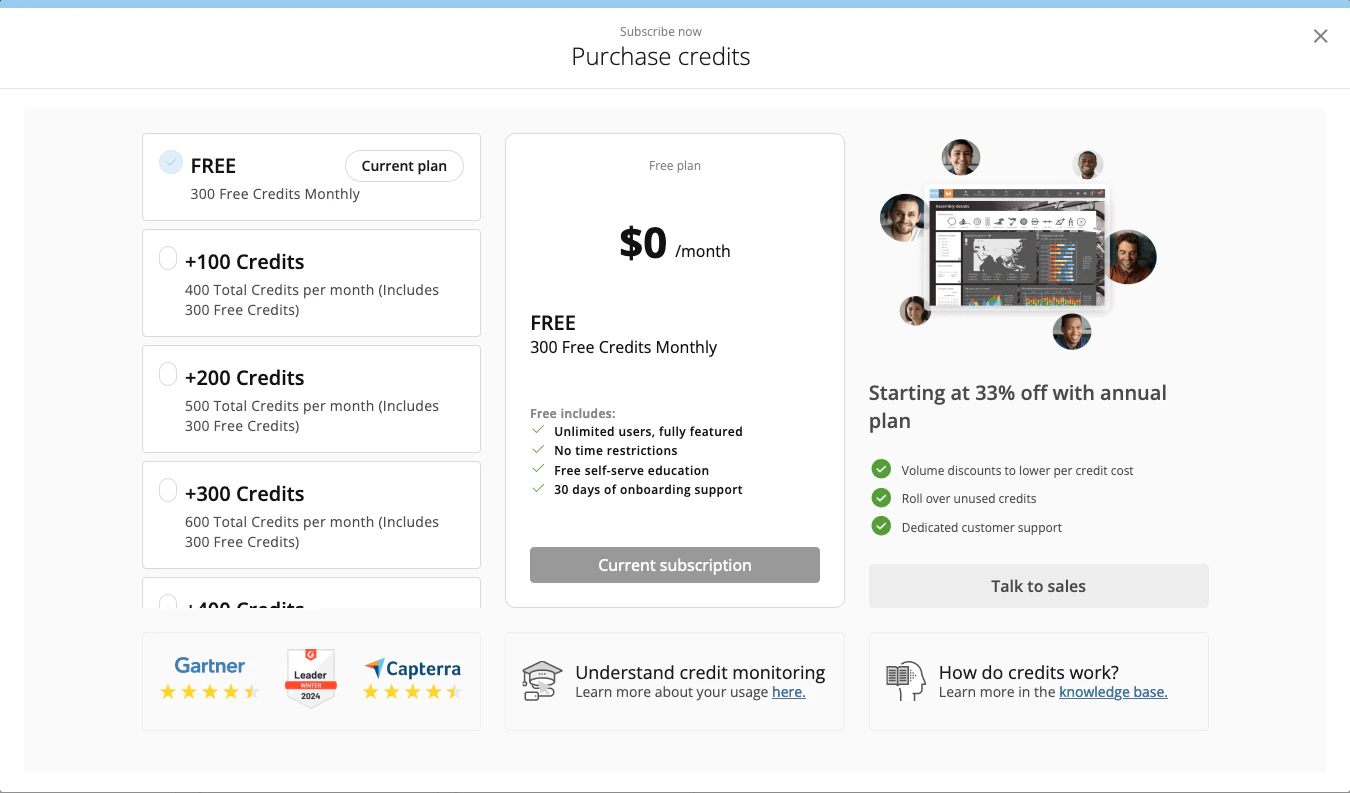
You can subscribe to a monthly credits package if you need more than the default monthly credits. Select Buy more credits in the usage bar to view the package options and subscribe.The Purchase credits modal displays.

- **+100 Credits —**This package adds 100 credits to the default 300 credits for a total of 400 monthly credits.
- **+200 Credits —**This package adds 200 credits to the default 300 credits for a total of 500 monthly credits.
- +300 Credits — This package adds 300 credits to the default 300 credits for a total of 600 monthly credits.
- +400 Credits — This package adds 400 credits to the default 300 credits for a total of 700 monthly credits.
Manage Billing
If you have the appropriate grant, you can select Manage billingin the usage bar to be directed to Stripe, where you can view and manage your subscription.