

You can change the owner of a DataFlow in the Details view for that DataFlow. You can do this only if you have an “Admin” security role (whether or not you are already the owner). For more information about security roles, see Security Role Reference. You can DataSet owners singly or in bulk.Documentation Index
Fetch the complete documentation index at: https://domoinc-arun-raj-connectors-domo-479695-remove-crime-report.mintlify.app/llms.txt
Use this file to discover all available pages before exploring further.
Note: For a non-Admin user to see a DataFlow, that user must have share access to ALL of the DataSets powering the DataFlow.
- Click Data in the toolbar at the top of the screen.
-
Click
 in the left-hand navigation pane.
- Locate and click the DataFlow you want to assign a new owner to. You can use the filter options to narrow down the DataFlows in the tab.
-
Click the pencil icon next to the name of the current owner.
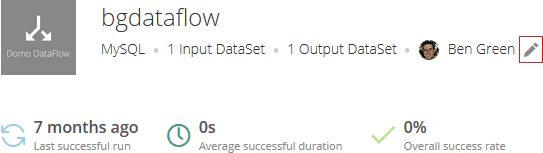
- Select the new owner in the list.
- Click Data in the toolbar at the top of the screen.
-
Click
in the left-hand navigation pane.
- Locate one of the DataFlows you want to change the owner of. For more information about searching and filtering DataFlow in the Data Center, see Data Center Layout.
-
Mouse over the row for the DataFlow and click the circled checkmark that pops up over the connector icon.
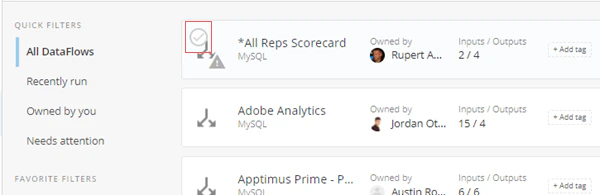
-
In the blue bar that appears at the top of the screen, click the
 icon.
icon.
-
Select Change Owner.
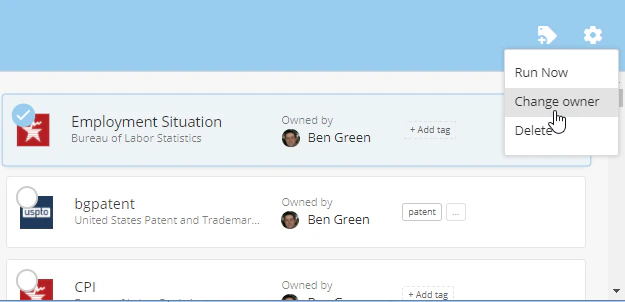
- Select the new owner for the selected DataFlows and click Reassign.