

Documentation Index
Fetch the complete documentation index at: https://domoinc-arun-raj-connectors-domo-479695-remove-crime-report.mintlify.app/llms.txt
Use this file to discover all available pages before exploring further.
Accessing the Toolkit
The Governance Toolkit can be found in the Admin section of Domo, under Governance then Toolkit.Required Grants
To access the Governance Toolkit, a user will need 1 of 2 grants enabled for a user. Grants can be added to a custom user role. The Administer Custom Pipeline Process grant is enabled for Admin users by default.- Create Custom Pipeline Processes
- This grant will allow a user to create, update, share and delete jobs.
- This grant will only allow a user to see jobs that they created or jobs that have been shared with them.
- Administer Custom Pipeline Processes
- This Grant will allow a user to create, update, share and delete jobs.
- this grant will allow a user to see all jobs
Types of Jobs
There are two different job types to choose from: Tag Settings or Configuration DataSet. A Tag Settings job allows users to create a job with prebuilt Domo tags. Users are be able to filter to a subset of datasets or dataflows and then apply Domo generated tags to those datasets or dataflows. A Configuration DataSet job uses your input dataset to determine which datasets or dataflows will have custom tags.Creating a Tag Settings Job
- In the navigation header, go to Admin.
- Under Governance, select Toolkit
- Select Tag Management.
- Select + New Job
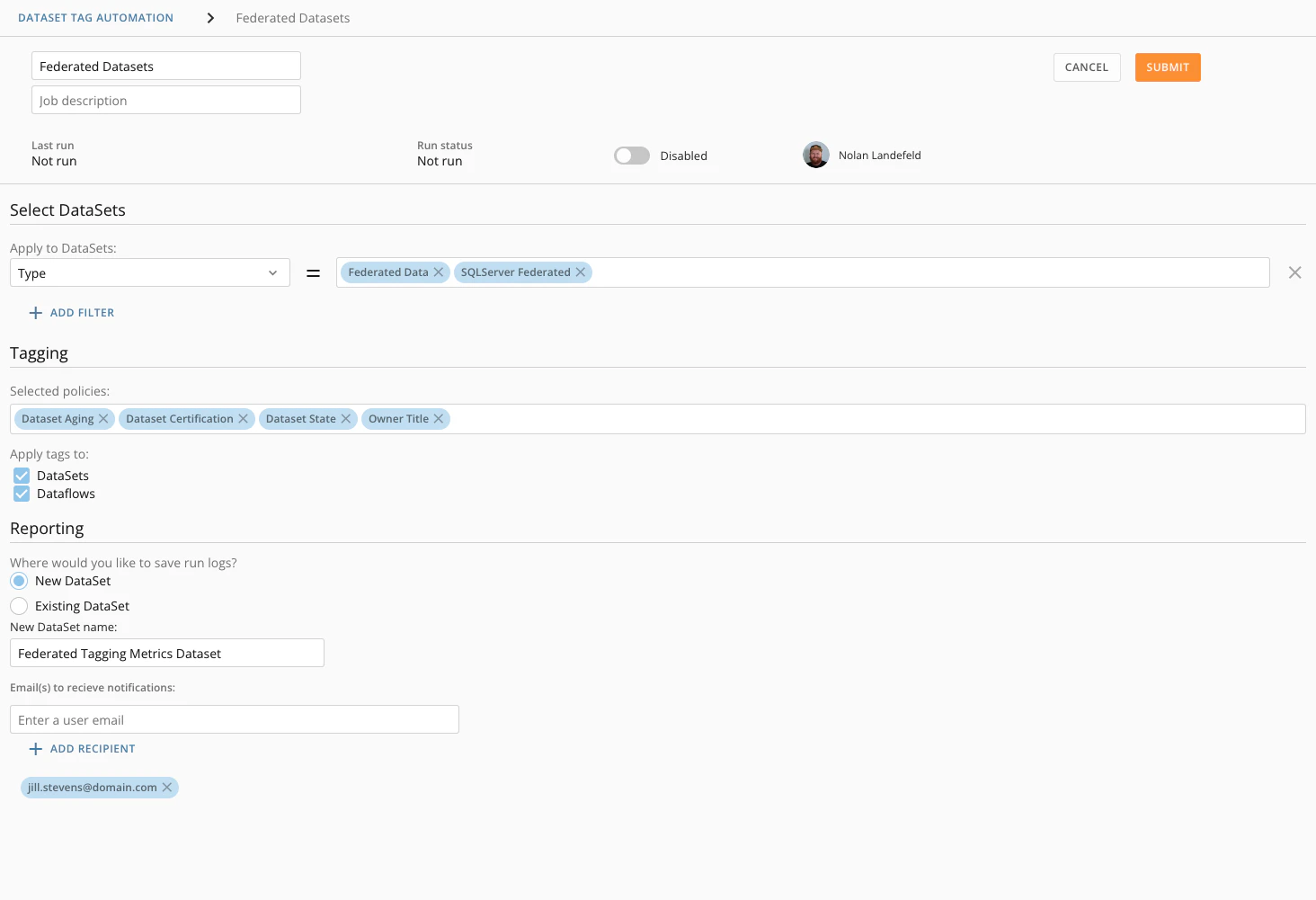
- Enter the following information:
- Job name (required)
- Job description (optional)
- Select DataSets
(optional)
- You can add filtering to narrow down which DataSets you would like to include in the backup job.
- Each filter category will work as an AND statement.
- Each value in a filter category will work as an OR statement.

- Tag the Selected policies you wish to add to your filtered DataSets.
Tagging Policies Reference Guide
DataSet Aging | Will add a tag of how long it has been since the DataSet was last run. Aging is bucketed into different categories. Example: 30+ days, 60+ days, etc. |
DataSet Certification | Will add a tag for the current certification state of the DataSet. |
DataSet Lineage | Will add tags about how many downstream DataSets, DataFlows, and Cards the DataSet has, as well as the DataSet type of the parent DataSet, if any. |
DataSet State | Will add a tag of the current state of the DataSet. |
Owner Email | Will add a tag with the DataSet owner’s email. |
Owner Inactive | Will add a tag indicting if the DataSet owner is no longer a Domo user. |
Owner Name | Will add a tag with the DataSet owner’s name. |
Owner Role | Will add a tag with the DataSet owner’s role. |
Owner Title | Will add a tag with the DataSet owner’s title. |
- Apply tags to (required)
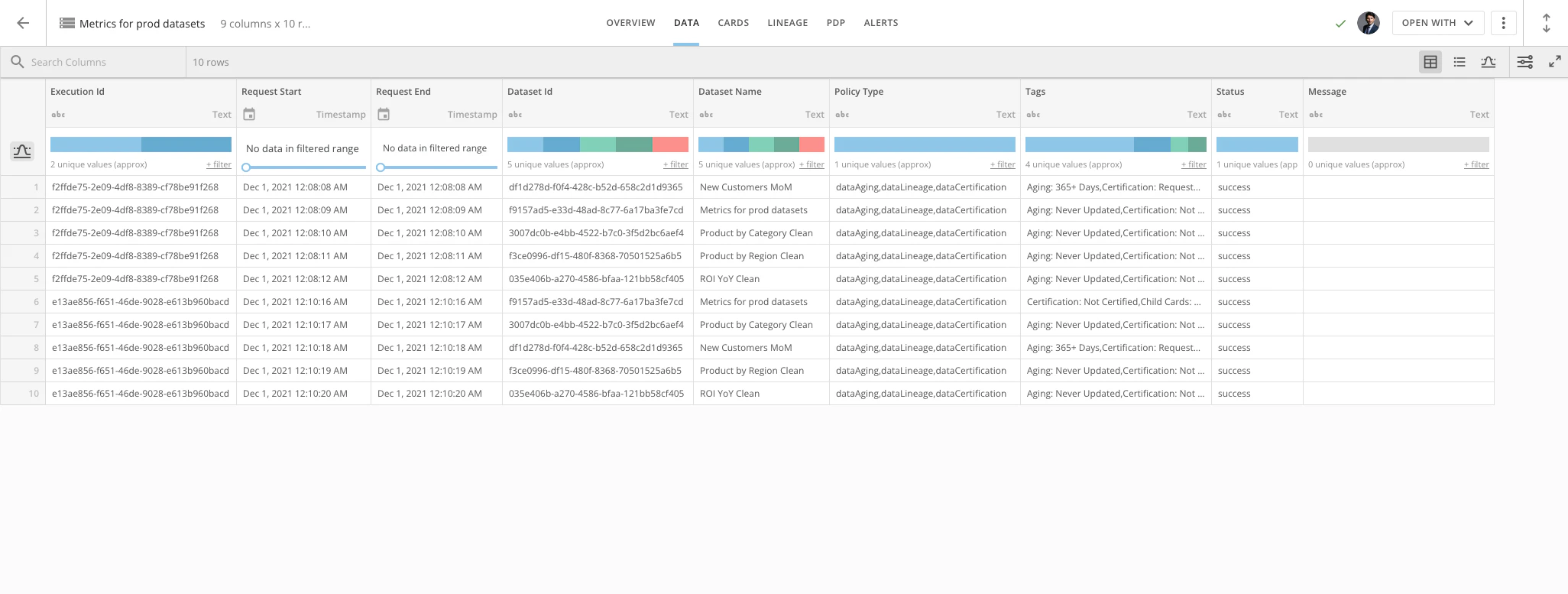
- Run Logs (required)
- New DataSet : Creates a new DataSet in your Domo instance and all runs of the job will write logging to the new DataSet.
- Existing DataSet : Combines multiple DataSet Tagging jobs into a single logging DataSet.
- Email(s) to receive notifications (optional)
- You can add user emails to this field.
- Users will receive an email notification from Domo each time the job runs.
-
The notification will outline what the job did during the run and any failures that occurred.

Creating a Configuration Dataset Job
- In the navigation header, go to Admin.
- Under Governance, select Toolkit
- Select Tag Management.
- Select + New Job
- Enter the following information:
- Job name (required)
- Job description (optional)
- Select your Configuration DataSet
- Handle existing Tags (required)
-
Run Logs (required)
Each job will keep track of executions and information surrounding the job at hand.
- New DataSet: Creates a new dataset in your Domo domain. All runs of the job will writ logging to the new dataset.
- Existing DataSet: Allows you to combine multiple DataSet Tagging jobs into a single logging dataset.
-
Email(s) to receive notifications (optional)
- You can add user emails to this field.
- Users will receive an email notification from Domo each time the job runs.
-
The notification will outline what the job did during the run and any failures that occurred.
Running a Job
Each job has an Enabled Toggle. This will control how a job is run.- Disabled
- The job will only execute when the job is manually run.
- Active
- The job will execute every 12 hours.
- A Configuration DataSet job will run when the configuration dataset updates.
